Your AI agent, connected to your data
LogPulse exposes a remote MCP server over HTTP, so the agent you already work in (Claude Code, Cursor, Codex, or any MCP client) can search logs, triage security risk, check service health and walk your entity graph. Typed tools on top of LPQL, not raw database access. Read-only by default, scoped per token, and aware of your team's RBAC.
Built your app with a coding agent? See how LogPulse closes the loop →
One server. Every agent. Your whole platform.
The agents you already use connect to a single MCP server, which exposes typed tools over logs, services, security and pipelines.
AI agents
Typed MCP tools
search_logs()investigate()get_service()entity_graph()siem_lookup()LogPulse platform
Stop searching. Start asking.
Connect once, and the agent you already work in turns a plain question into an investigated answer, grounded in your data, with every step shown.
Your production errors, in the editor that wrote the code.
Build in Claude Code or Codex with LogPulse connected over MCP. After every deploy the agent checks production itself, finds the new error and writes the fix, no pasted stack traces, no dashboard tab.
deployed v0.8.2, check prod for new errors
search_logs9 errors · TypeError in payments-apicount_patterns1 new pattern since the deployget_service_healthpayments-api degraded · p95 +40%Fix written, shipped and verified in the logs
From “it’s down” to root cause, in one question.
Ask why a service is failing. The agent searches your logs, correlates the latest deploys and maps the blast radius, before you’ve opened a dashboard.
why is checkout-svc throwing 500s?
search_logs1,240 errors · checkout-svccompare_timerangesspike right after deploy v2.4.1get_blast_radius3 services downstreamRoot cause: out-of-memory after v2.4.1
Triage a threat without leaving your editor.
Pull an entity’s risk, see everything it can reach, and have the agent draft a detection for what it found. Every write stays human-gated and audited.
is host db-prod-3 compromised?
get_risk_summaryrisk score 87 · criticalget_blast_radius12 reachable assetspropose_detectiondetection drafted · awaiting approvalScoped, drafted and ready for review
Ship a working pipeline the same afternoon.
The agent reads your canonical data model and LPQL guide, then writes the parser, pipeline and queries that fit the fields you actually have.
build a pipeline for our nginx logs
get_data_model38 canonical fields mappeddetection_helpmatched LPQL patternspropose_pipelinenginx → parsed & queryablePipeline + LPQL, matched to your schema
The Monday report writes itself.
Have the agent assemble MITRE coverage, service health and the week’s notables straight from the live platform, on a schedule, in your own words.
summarize this week’s security posture
mitre_coverage142/201 techniques coveredget_service_health3 services degradedlist_notables7 notables this weekCoverage, health & notables: one brief
Widgets in Claude and ChatGPT
Answers you can click, not JSON
In Claude and ChatGPT, LogPulse results open as interactive widgets: refine a search, triage a notable, approve a proposal. Every action runs under the same scopes and human approval as the web app.
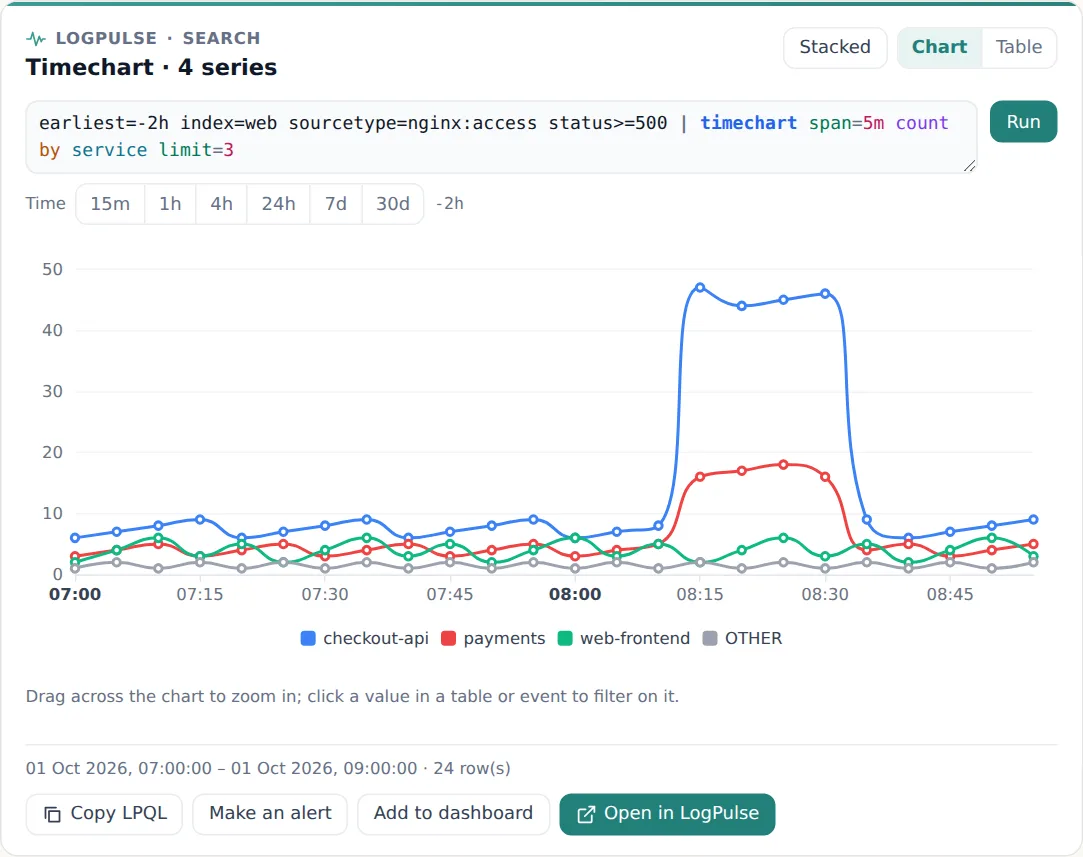
Widgets work in hosts that support MCP Apps, such as Claude and ChatGPT. Claude Code and other IDE agents get the same results as text and structured data.
What is the LogPulse MCP server?
The Model Context Protocol (MCP) is an open standard for connecting AI agents to external tools and data. LogPulse implements it as a remote MCP server: a single HTTPS endpoint your agent connects to with a personal access token. Once connected, the agent sees a catalog of typed LogPulse tools and calls them directly, with no copy-pasting query results and no scraping the dashboard. Because the tools are built on LPQL and run inside LogPulse, the agent gets fast, consistent, governed answers instead of writing raw SQL against your data.
How it works
1. Create a scoped token
In LogPulse, create a personal access token and pick the scopes the agent may use: logs, SIEM, services, entities. The token is tied to you and one organization, and can never grant more than your own access.
2. Connect your agent
Add the LogPulse MCP endpoint to your agent with one command. Claude Code, Cursor and Codex all speak MCP over HTTP: point them at the endpoint with your token and they discover the tools automatically.
3. The agent calls typed tools
Ask your agent a question in your editor. It picks the right LogPulse tools (search_logs, get_risk_summary, get_service_health, get_blast_radius) and runs them against your data, and reasons over the structured results.
4. You stay in control
Tools are read-only by default and honour your namespace RBAC. Every call is rate-limited and written to the audit log, and the few write tools create disabled drafts for a human to review.
A typed tool for every part of the platform
The agent gets the same domain depth your team uses in the dashboard (search, security, observability and the cross-domain entity graph), each behind its own scope.
Search & investigate
logs:readsearch_logs, count_patterns, timeline_analysis, compare_timeranges, get_field_values and system_health, plus alerts, pipelines, dashboards and saved queries. The full read surface of the platform.
search_logscount_patternstimeline_analysiscompare_timerangesget_field_valuessystem_healthSecurity monitoring
siem:readsearch_risk_events, get_risk_summary, list & get notables, list & get detections, get_ueba_baselines, mitre_coverage and lookup_ioc: risk-based SIEM, MITRE coverage and threat intel.
search_risk_eventsget_risk_summarylist_notableslist_detectionsmitre_coveragelookup_iocService intelligence
services:readget_service_health, list_anomalies, list_dependencies, list_services and list_incidents: service-level health, KPI anomalies and the dependency graph.
get_service_healthlist_anomalieslist_dependencieslist_serviceslist_incidentsEntity graph
entities:readget_entity, get_blast_radius and get_entity_risk_timeline: Entity 360 across security and observability, including blast radius.
get_entityget_blast_radiusget_entity_risk_timelinePropose changes (human-approved)
*:proposepropose_* tools queue a change (a detection, alert, service, KPI, pipeline or trigger) for human review. Nothing is applied until a person approves it in LogPulse; approved items are created disabled/inactive.
propose_detectionpropose_alert_rulepropose_servicepropose_kpipropose_pipelinepropose_automation_triggerMore than tools: grounded context
Beyond callable tools, the server exposes MCP resources (an LPQL cheat sheet, your data models, saved queries and a detection guide) and prompts that steer the agent through the right sequence of tools for a task: triage a notable, check whether an IP is malicious, onboard a connector, or run a service health check.
Connect the agent you already use
Most clients connect in one click: add the LogPulse endpoint and authorize in your browser. A token works too, for CI and headless setups.
Connect in one click
Add LogPulse to your agent and authorize it in your browser. OAuth 2.1 walks the user through consent on exactly the scopes you grant, with no token to copy, store, or rotate by hand. It is the smoothest way to connect an interactive client like Claude Code, Cursor, or Codex.
Works with
Claude Code
Add the LogPulse endpoint with the Claude CLI, then approve the browser prompt. The tools appear instantly in any Claude Code session.
Cursor
Add the LogPulse endpoint in Cursor's MCP settings and authorize it in your browser.
Codex & others
Any MCP client with remote-server and OAuth support connects the same way: Codex, Continue, or your own agent.
Prefer a token for CI or headless automation? See the MCP setup guide
Secure by design
An agent gateway into your logs has to be governed. LogPulse builds the guardrails in.
Read-only by default
The MCP surface exposes read tools only. There are no direct writes; every change goes through propose-approve, queued behind a *:propose scope for a human to approve before anything is applied.
Scoped tokens + RBAC
Each token holds only the scopes you grant, and a tool the token can't reach is invisible to the agent. The token never exceeds your own namespace RBAC.
Audited & rate-limited
Every tool call is written to the audit log and rate-limited per token. Denied calls are logged too.
Usage is a detection
Every MCP call is emitted to an internal log stream and watched by built-in detections: abnormal call volume or an agent write raises a notable, on your own engine.
EU-sovereign
Tools run on your EU-hosted data and AI evaluation runs in the EU. Nothing leaves LogPulse to answer a question.
Untrusted data stays data
Tool output is treated as data, not instructions, a guard against prompt injection through your own logs. No auto-execute, no writes without a human.
FAQ
What is the LogPulse MCP server?
It is a remote Model Context Protocol server that lets AI agents like Claude Code, Cursor and Codex call typed LogPulse tools (search, SIEM, service intelligence and the entity graph) over a single HTTPS endpoint, instead of scraping the dashboard or writing raw SQL.
Which AI agents can connect?
Any MCP-capable client that supports remote servers over HTTP, including Claude Code, Cursor and Codex. You connect with a scoped personal access token, or with OAuth 2.1 for one-click sign-in.
Is it safe to connect an AI agent to my logs?
Yes. The MCP surface is read-only by default, every token is scoped and bound by your namespace RBAC, all calls are rate-limited and audited, and the one write tool creates disabled detection drafts for human review. Data stays EU-hosted.
What can the agent actually do?
Search and investigate logs, query risk events and notables, check service health and dependencies, walk the cross-domain entity graph and blast radius, and, if you grant the write scope, draft new detection rules for a human to enable.
Is MCP access included in my plan?
Yes. The MCP server is part of the LogPulse platform, governed by a per-token rate limit. Pricing stays flat: you are billed per plan, not per query or per agent.
Connect your agent to LogPulse
Create a scoped access token and add LogPulse to Claude Code, Cursor or Codex in under a minute.
Create your free account